


The Commands tab on a fresh controller, before the first command
Since 2.2.0 the device page has a Commands tab. This is the tab on our test workspace before anyone has sent anything: CL1 controller, “Collector line 1 PLC (check-in island A)”, online, profile Collector controller, firmware 26.10.0-sim, MQTT.
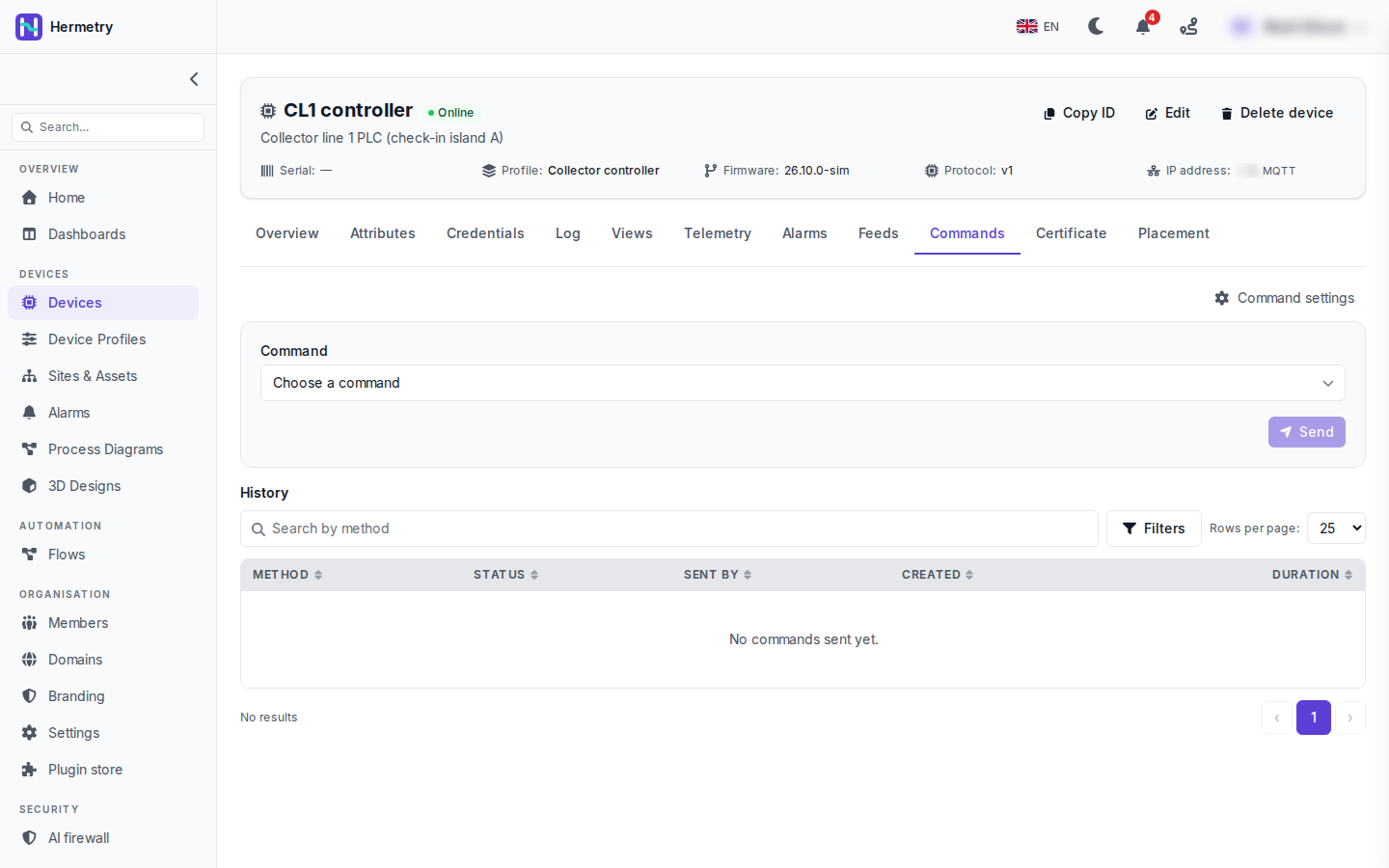
Top half: Choose a command and Send. Send is greyed out in the shot, with no command picked yet. The list comes from the command catalog on the device’s profile (profile, Commands tab, Add command).
Once you pick one, its parameters appear, and there are a few options: one-way, the answer timeout, deliver when the device comes back (persistent) and how long a queued command waits before it’s given up. A command marked high impact asks you to confirm, sometimes with a phrase to type.
Bottom half is the History: Method, Status, Sent by, Created and Duration, with a search by method and filters. Here it says “No commands sent yet.” Sent by is the column I find most useful. It tells you whether the command came from the console, the API, a flow, a firmware update, an alarm action or a dashboard control. Opening a row shows the request, the response and the progress.
Sending commands to devices has the full list of states.
Who can send what here? Our operators are all Users.
Each command in the catalog has a tier. By default Basic is for Users, Privileged and Critical for administrators, and a raw method that isn’t in the catalog is owners only. If one operator needs privileged commands, a custom group with iot_rpc.send.privileged does it without making them Admin.
What does the device actually receive? Writing the PLC side next week.
It subscribes to v1/rpc/req/+ and gets the method and params; for a two-way command it answers on the same id:
PUBLISH v1/rpc/req/42
{"method": "sys.ping", "params": {"host": "8.8.8.8", "count": 3}}

PUBLISH v1/rpc/res/42
{"ok": true, "result": {"sent": 3, "received": 3, "avg_ms": 18.2}}
Commands are only delivered after the device has subscribed on that connection.
For whoever writes the firmware: dedupe on the request id. A command can arrive twice. Keep the last 32 ids for ten minutes and skip repeats. Learned that with a reboot command.
Got our test PLC answering sys.ping, history shows Successful and the duration. Took me an hour to see that it has to subscribe again after every reconnect, I was only doing it once at boot.
- You must be logged in to reply to this topic.
Join the conversation
Sign in to ask and answer, like helpful posts and mark the reply that solved your problem. Every contribution earns points and levels.