


Devices and connectivity
Connect devices over the protocol they already speak
Devices send over MQTT or HTTPS, join through Hermetry's own LoRaWAN network server, report through a gateway, or are polled by the platform. A device profile sets how each kind of device logs in, how fast it may send and when it counts as online.
Ways in
Five ways to reach Hermetry
Pick the one that fits the device. One profile can allow MQTT and HTTP together.
| Way | For | Key facts |
|---|---|---|
| MQTT | Devices that keep a connection open | MQTT 3.1.1 over TLS 1.2 or later on port 8883. Plain MQTT on port 1883 only when the profile allows it; TLS is required by default. |
| HTTPS | Devices that wake, send and sleep, or networks that block MQTT | The token goes in the Authorization header. A token in the URL is allowed only on a profile set to HTTP-only. |
| LoRaWAN | Battery sensors behind LoRaWAN gateways | Hermetry's own network server: Basics Station gateways, EU868, device classes A and C, OTAA. A library of 106 codecs, plus codecs you write and test yourself. |
| Through a gateway | Field devices behind a licensed router or gateway | Up to 500 child devices per gateway by default. Each child has its own readings, alarms and dashboards; rate limits apply to each child and to the gateway as a whole. |
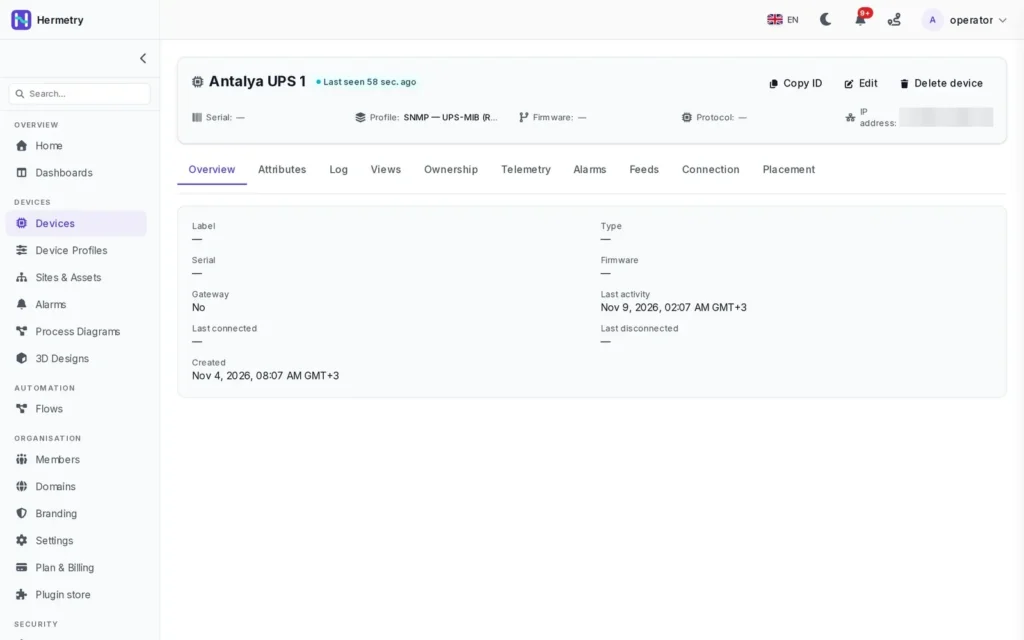
| Polled by the platform | Equipment that cannot dial in: SNMP devices, IP cameras and recorders | SNMP v2c and v3 from the cloud, with templates for interfaces, host resources, UPS units and printers. The host must be a public address. Each poll result counts as one message. |
Security
Every connection proves who it is
Each device has at most one active credential, and its profile decides what it may do.
Three kinds of credential
An access token, an MQTT username and password, or an X.509 certificate from the platform's own device authority, used by licensed devices. Secrets are shown once and stored only as hashes.
Rotate, switch, revoke
Every credential change ends the device's open sessions at once. A revoked certificate ends the live session and refuses the next login.
Allowed networks
Limit a profile to up to 64 IPv4 or IPv6 networks or single addresses. Devices outside them are refused at login.
Rate limits per profile
By default 10 messages a second and 300 a minute, 200 data points a second and 6,000 a minute, and 64 KiB per message. Messages over the limit are dropped, and administrators get one notice per device per hour.
Online rules
A device is online while it holds its connection, while its last message is recent enough, or the profile shows only when it was last seen. An alarm for a silent device is a separate rule.
Commands by tier
Basic, privileged, critical and raw commands, each with a default role. High-impact commands ask for confirmation and are audited. Commands never travel over a plain session.
Getting devices in
Three ways to add devices
Use the one that fits how many devices you have and who made them.
1
Add by hand
Create the device, pick its profile and copy its access token, which is shown once. To add many, import a file and download the new credentials once, within 15 minutes.
2
Let them register
Devices of one kind ask for their own credential with the profile's provisioning key. Devices that create themselves wait in quarantine until an administrator approves them.
3
Claim licensed devices
Licensed devices leave the factory with an identity. Open the claim window on the device's panel, then scan its QR code or type the serial and claim code.
Placement
Put each device where it is
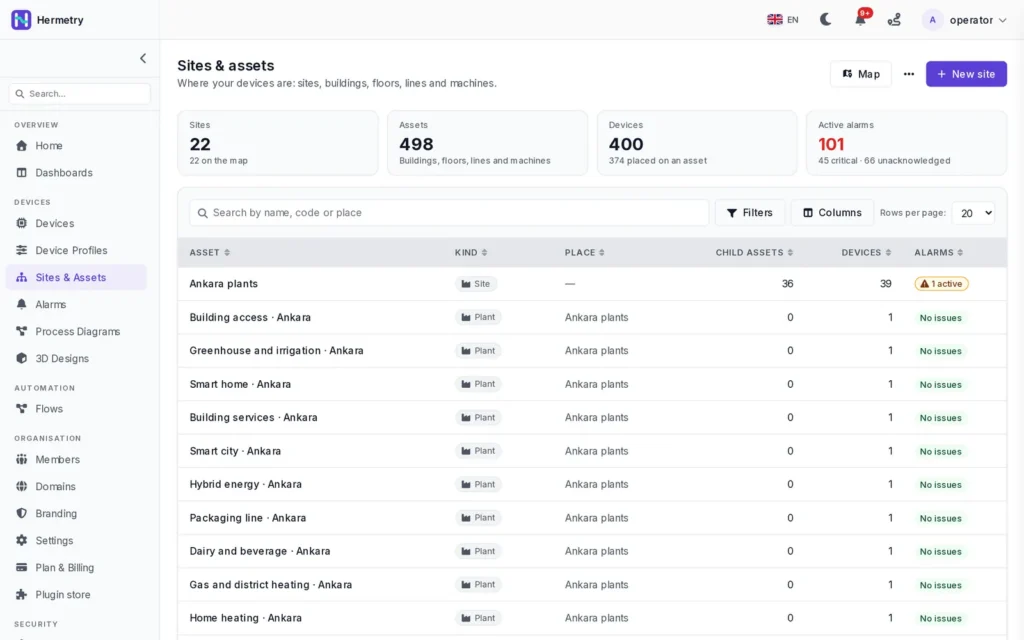
Place every device on a site, building, room, line or machine. Its place decides which site's status and alarm counts include it, which rules of a place may act on it, and which devices a site's dashboards offer first.
- Device and alarm counts for every asset
- Search by name, code or place
- A map of your sites with their alarms
- Place a device
Details
What the platform expects from a device
The short version. The device docs have the full rules.
Payloads
A message is a flat JSON object, stamped with the server's time, or {ts, values} with a time stamp in milliseconds UTC, alone or in batches. A device without a synchronised clock should leave the time stamp out. Readings more than ten minutes in the future are dropped, and the same device, key and time stamp is stored once.
Attributes
Client attributes are reported by the device, shared attributes are set from the platform, and server attributes stay on the platform. Shared cfg.* keys carry the configuration you want; the device reports the value back, and the platform shows whether the two are in sync.
Late readings
A device that buffered readings while offline can send them later. They are stored, and alarm rules evaluate them as a backfill: alarms that opened and cleared during the outage appear in the history, and nobody is paged for the past. Readings older than your plan's raw retention are refused.
Message allowance
Telemetry and attribute messages count toward the monthly allowance; commands, alarms and connection events do not. Each SNMP or camera poll result counts as one message. When you size a gateway site, plan for each child device's report to count as one message.
Licensed devices
Licensed devices add remote settings described per model, signed firmware updates and the router's web panel through an outbound tunnel: at most 3 sessions per router, 4 hours at most, closed after 30 minutes idle, each one audited.
In development
- Commands and shared attributes sent to devices behind a gateway
- SNMP polling by Edge on the site; today SNMP is polled from the cloud and traps are not received
- eSIM management with Hermetry Connect; your own SIM cards and operator work today
FAQ
Questions about devices
Do I need licensed hardware?
No. Any device that speaks MQTT, HTTPS or LoRaWAN, or that can be polled over SNMP, works. Licensed devices add one-step claiming, certificates, remote settings, signed firmware updates and the remote web panel.
Can existing firmware keep its topics?
Often, yes. The legacy-compatible topic scheme accepts v1/devices/me/telemetry and v1/devices/me/attributes, for telemetry and attributes only. A profile can also accept custom topics outside v1/ as telemetry. See device profiles.
Which LoRaWAN setups are supported?
Gateways that use LoRa Basics Station, the EU868 band, class A and C devices, and OTAA activation. Codecs decode uplinks; downlinks to devices are sent as raw frames. Signal strength and noise ratio show on the device's LoRaWAN tab. Examples: smart parking and weather stations.
What about SNMP equipment on a private network?
The cloud poller reaches only public addresses, from fixed source addresses you allow in your firewall. SNMP polling by Edge on a site gateway is in development. See server room monitoring and unmanned sites for UPS units polled over SNMP.
How many devices can I connect?
Your plan sets the number of devices, and quarantined devices count toward it. When you reach the limit, new devices are refused. See pricing.
Have a device in mind?
Tell us what it speaks and how it is wired. We show you the profile, the credential and the first readings on a board.