


The Certificates page on a fresh organisation, and what will appear on it
2.2.2 added the Certificates page. This is it on a brand-new organisation, so both lists are empty. Only licensed devices get a certificate from the device CA, when they are provisioned, so an organisation without them sees the same. Devices you build yourselves keep using access tokens or MQTT basic.
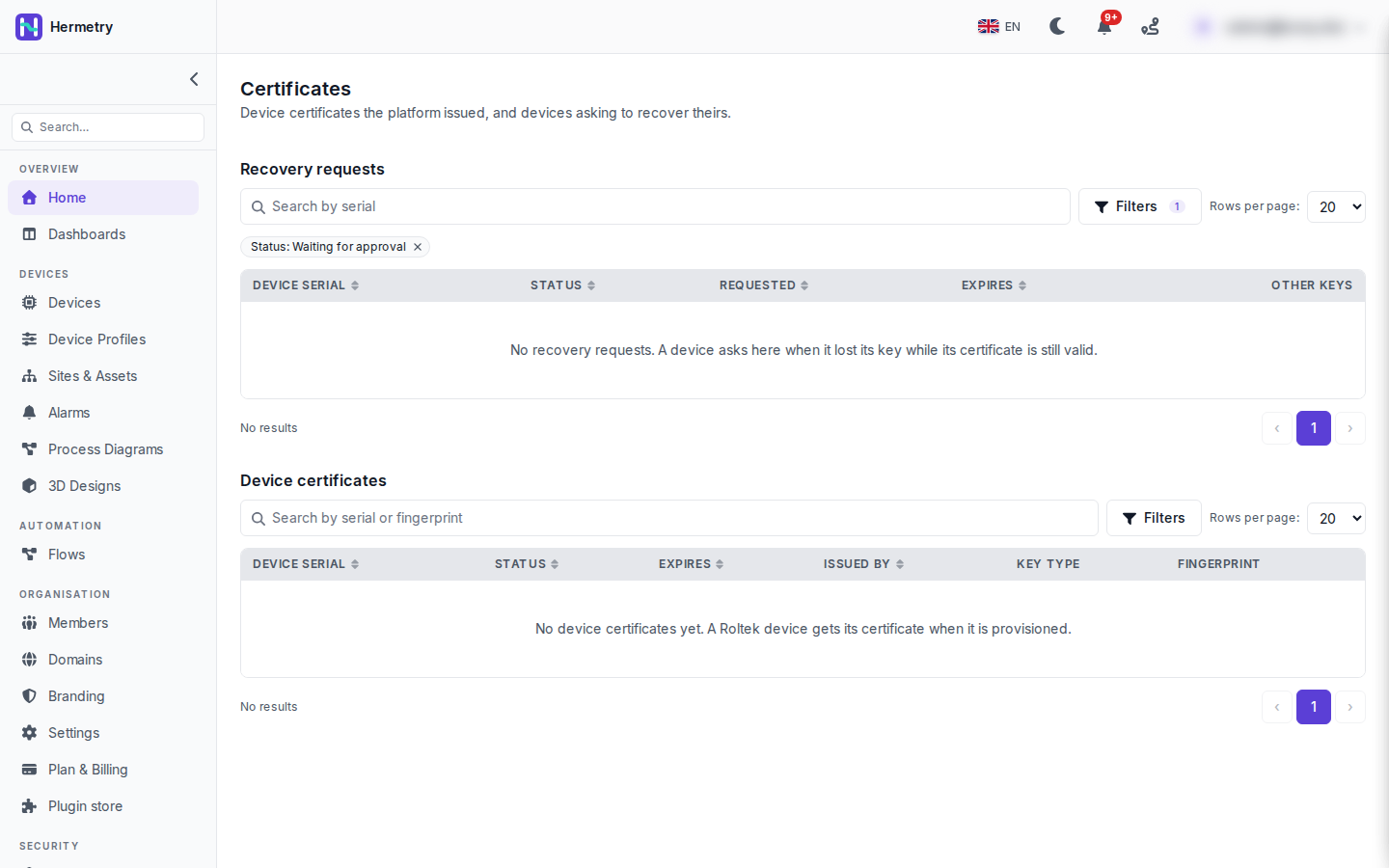
The page has two lists.
Recovery requests, filtered here to Status: Waiting for approval, with device serial, status, requested, expires and other keys. A device appears here when it asks for a new certificate while its current one is still valid. That can be a device you reset or repaired, or a clone, so Hermetry doesn’t issue one on its own. You get the notice “A device asks for a new certificate” and decide on the device page. Approve revokes the current certificate at once and lets the device get a new one for the key shown, within 7 days. Reject keeps the current certificate and issues nothing. Approve only when you know the device was reset or repaired.
Device certificates, searchable by serial or fingerprint, with status, expiry, issuer, key type and fingerprint. Statuses are Active, Superseded, Revoked and Expired. Current licensed devices use ECDSA P-256, and the common name is the device serial.
For one device, an MQTT device’s Certificate tab shows its certificate, how it was issued (first certificate from the factory, renewal, recovery and a few more) and its validity. Revoke from the certificate with a reason; you type the serial to confirm, and the device is disconnected straight away.
Viewing certificates is an Admin-level permission (iot_pki.certificates.read). Expiry warnings are set under Device Certificate Settings: 30 days by default, 30 to 180.
Docs: Device certificates, The device certificate authority.
For our licensed units, do they renew by themselves or do we have to trigger something before the 365 days are up?
By themselves, at the latest 30 days before expiry. You can also ask one to renew early with Renew certificate (the cert.renew command); it keeps the current certificate until the new one is in use. Devices that were asked to renew and didn’t are reported to administrators along with the expiring ones.
Edge case: right after a gateway node restarts, before it has loaded the revocation set, does it accept certificates on chain and expiry alone?
No, it refuses every certificate until its revocation set is loaded. There’s no password fallback either: a presented certificate always decides.
Had our first recovery request yesterday, after a repair on one licensed unit. The notice came in, I checked with the technician that it was the unit he’d repaired, approved it on the device page, and it was back online a few minutes later.
- You must be logged in to reply to this topic.
Join the conversation
Sign in to ask and answer, like helpful posts and mark the reply that solved your problem. Every contribution earns points and levels.