


One device list for SNMP UPSs, a camera and MQTT battery storage stations
The SCADA screens I post here need devices behind them, and in our demo workspace they come in three very different ways. They all end up in the same Devices list.
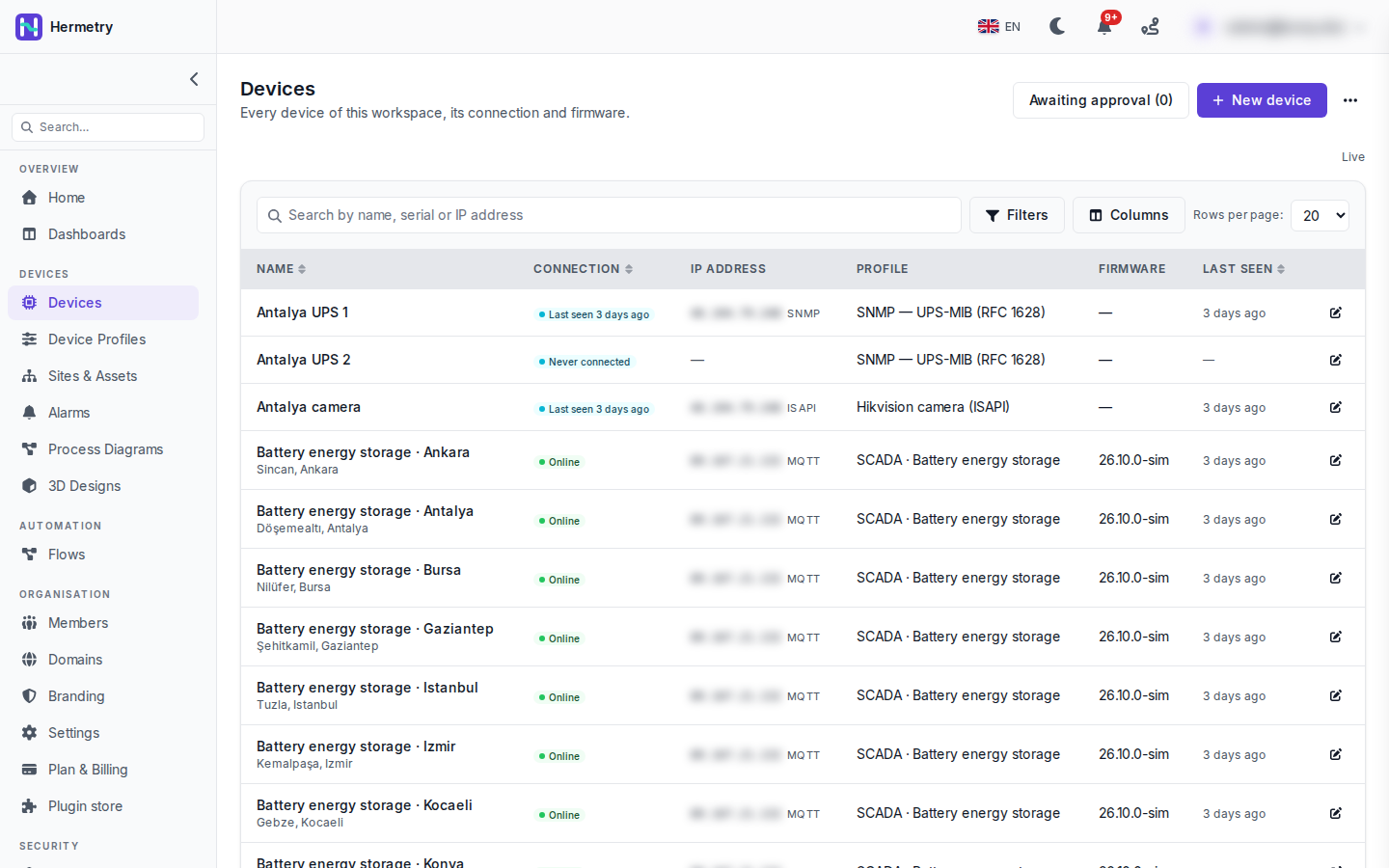
At the top are two UPSs that Hermetry polls over SNMP with the UPS-MIB (RFC 1628) profile, and a camera on its HTTP API (ISAPI). The platform reaches these through an endpoint; they never log in themselves. Below them are the battery energy storage stations, which connect on their own over MQTT and use the SCADA · Battery energy storage profile. Their firmware column shows the version they report, 26.10.0-sim.
What I like about the list:
- The IP address column names the protocol next to the address: SNMP, ISAPI or MQTT. The addresses are blurred in the screenshot.
- Polled devices use the Last seen only rule, so they show “Last seen 3 days ago” where the MQTT ones show Online. UPS 2 has never answered, so it reads Never connected and has no address.
- Search covers name, serial and IP address, with Filters and Columns beside it.
Docs: The Devices list and the device page, Polling devices over SNMP.
Where does the SNMP polling run from? Our UPS network cards sit on a private LAN with no public address.
The poller runs in the cloud, and private addresses are refused. You either reach the agent at a public address through a VPN or tunnel, or put a Hermetry Edge on the site network; the platform then reaches the UPS over Edge’s encrypted connection without port forwarding. Traps are only received on site by a licensed gateway, the cloud has no trap listener.
Edge it is. v3 with authPriv I assume?
Yes, SNMPv3 with authPriv is the default. v2c is switched off for every workspace until an admin turns it on, because the community string travels in plaintext.
Which account did you give the camera?
A view-only user on the camera, never the admin account. For live view and the health readings the platform needs nothing more; only camera events need the right to receive alarms as well. Add a camera or recorder
Small thing I found after reading this: the search and filters stay in the page address. I sent a colleague a link with Connection set to Offline and it opened the same filtered list for him.
- You must be logged in to reply to this topic.
Join the conversation
Sign in to ask and answer, like helpful posts and mark the reply that solved your problem. Every contribution earns points and levels.