


Smart city
Watch traffic signals, level crossings, stops, parking and street cameras across a city, with alarms that reach the crew that fixes them.
Smart city
Junctions, stops and street cabinets, on one drawing
Signals, stops, charging and street equipment on one live drawing. Each point is read by a gateway in the field and lands on the same screen.
Swipe the drawing sideways to see all of it.
1
Junction signals
Controller fault, flashing or dark mode, lamp failures and mains at the junction.
2
Charging posts
State, fault and power of each charging post, with an alarm when one stops.
3
Stop equipment
Mains, display fault and shelter lighting at the stop cabinet.
4
Street cabinet and camera
Camera supply, tamper and cabinet door, read in the cabinet.
On your boards
The cards city teams start with
Each card is a real widget from our dashboards, the same one you place on your own boards.
Street asset status
One state card per junction, crossing or depot, so a fault stands out on the wall screen.
Parking occupancy
Occupancy of a street or district from bay sensors, as a gauge that turns amber and then red as it fills.
Traffic counts
Vehicles per hour at a junction, where the signal controller reports its detector counts, with the change against earlier.
- Barriers held down Crossing 3 · Major
- Charger fault Depot North, charger 7 · Major
- Cash box nearly full Meter 41 · Warning
- Mains restored Junction 12
Alarms that reach the right crew
Open, acknowledged, resolved. By email, SMS, push, Telegram, Slack, Discord or WhatsApp, with on-call escalation.
Tunnel air temperature
Air temperature inside the road tunnel through the day, beside the jet fans that ventilate it.
Devices and last seen
Every gateway, meter and camera with its state and last report, so a silent cabinet is found before anyone needs it.
From the field to your team
The devices on city streets, and where their data goes
Each cabinet, depot or street gets a gateway. It reads what the controllers already offer and sends it to Hermetry over one outbound connection.
4G gateway
Cellular gateway with digital and analog inputs, relay outputs and a VPN.
- Goes in a crossing, junction, stop or camera cabinet, where status contacts wire to its digital inputs.
- Typical readings: crossing fault, barriers down, lamp failure, mains, standby battery voltage, camera supply and tamper.
- Reads only the outputs a controller provides for monitoring; the controller keeps control.
Reads on a city street
Controller outputs → 4G gateway → 4G → Hermetry → Control room
Industrial gateway
Reads the PLCs, meters and instruments already on site and sends their data to Hermetry.
- Sits in the depot switch room, or in a junction cabinet with a network link, and reads over Modbus RTU or Modbus TCP.
- Typical readings: charger state and power, feeder breakers, the depot energy meter, signal controller registers.
- Keeps readings while the link is down; how many depends on the model.
Reads on a city street
Chargers and meters → Industrial gateway → MQTT over TLS → Hermetry → Depot shift lead
LoRaWAN gateway
Brings battery-powered LoRaWAN sensors on site onto the platform.
- Mounted on a lamp post or a roof, it hears the battery sensors in the kerbside bays around it.
- Typical readings: bay occupied or free, sensor battery and radio quality.
- Forwards to Hermetry’s own LoRaWAN network server, where counts per street are kept.
Reads on a city street
Bay sensors → LoRaWAN gateway → LoRaWAN → Hermetry → Parking operations
4G router
Industrial 4G/LTE VPN router that gives a remote site its link.
- Reads nothing itself. It is the link for a depot or cabinet without a fixed line, with your own SIM.
- Carries the gateway’s MQTT over TLS traffic out; nothing on the street accepts connections from the internet.
- Engineers open its web panel through router remote access, without a fixed IP or VPN.
Reads on a city street
Cabinet gateway → 4G router → 4G → Hermetry → Maintenance crew
-
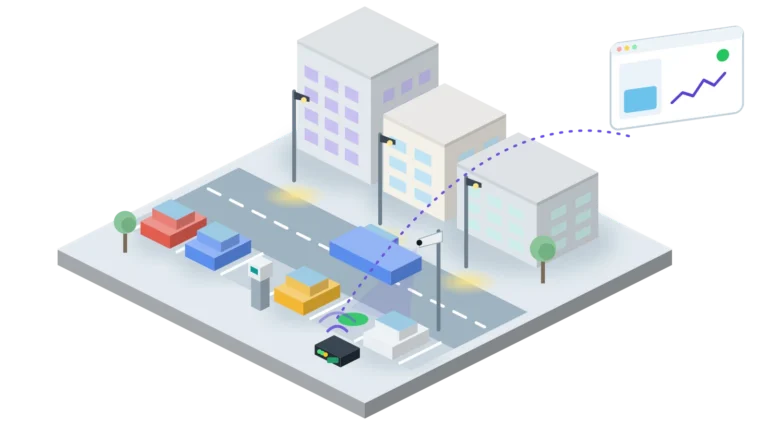
Street parking meters, bays and cameras
Read more: Street parking meters, bays and camerasA blueprint for on-street parking meters, kerbside bay counts and street cameras on one platform: meter faults, full cash boxes and paper, camera offline,…
-
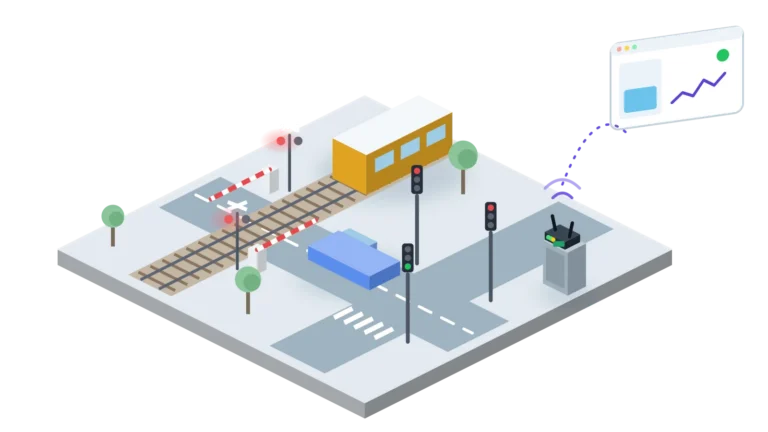
Level crossing and traffic signal monitoring
Read more: Level crossing and traffic signal monitoringA blueprint for watching level crossings and signalled junctions through their controllers’ status outputs: faults, lamp failures, barriers held down, mains and battery, alarms…
-
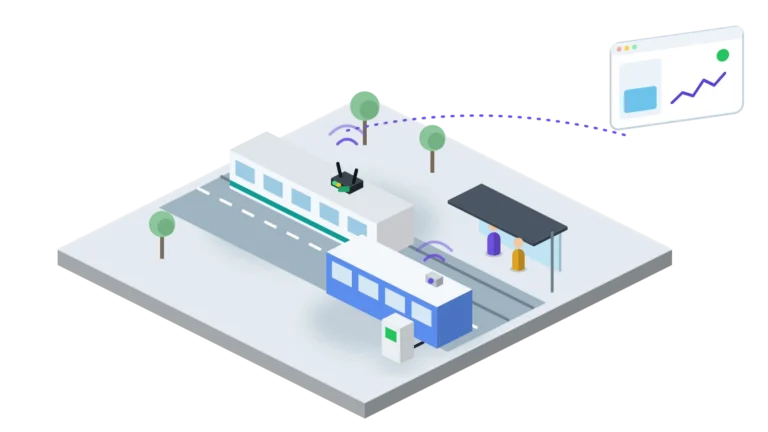
Trams, buses, stops and depot charging
Read more: Trams, buses, stops and depot chargingA blueprint for watching trams, buses, stop equipment and depot chargers on one platform: vehicle states, stop power and displays, overnight charging, alarms and…
FAQ
Questions city teams ask
Which devices can we connect?
Gateways come ready for Hermetry and read controllers, meters and contacts on site. Any other device can send data over MQTT over TLS or HTTP, and LoRaWAN sensors such as bay sensors join through our own network server, with 106 library codecs.
Can Hermetry switch traffic lights or raise barriers?
No. Hermetry measures and alarms. Signal controllers, crossing controllers and barrier controllers keep full control and every safety function, and work without Hermetry or its link.
Where is our data hosted?
In one of Hermetry’s hosted regions: the EU, the US or Türkiye, each a separate deployment, with your organisation’s data kept in its home region. With the Enterprise plan, Hermetry runs on your own servers instead.
How do crews hear about a fault at night?
Profile rules raise alarms on thresholds with debounce and hysteresis, and when a device goes silent. Notifications go by email, SMS, push, Telegram, Slack, Discord or WhatsApp, with on-call escalation. Each alarm moves from Open to Acknowledged to Resolved.
Do we have to draw our SCADA screens from scratch?
No. You build 2D drawings from a library of 769 symbols, with a city family that includes traffic lights, level crossings, bus stops, trams, buses, parking meters, charging posts and cameras, and Hermetry generates a 3D view from the 2D drawing.
See your field data live this week
Start a trial in your region with your first devices, or book a demo and bring your own use case.