


Reading a device’s Log tab: connects, disconnects and session takeovers
Same CL1 controller as in my Commands tab post, this time the Log tab. It puts the connection history and the changes made to the device in one timeline, newest first, with All, Connections and Changes at the top.
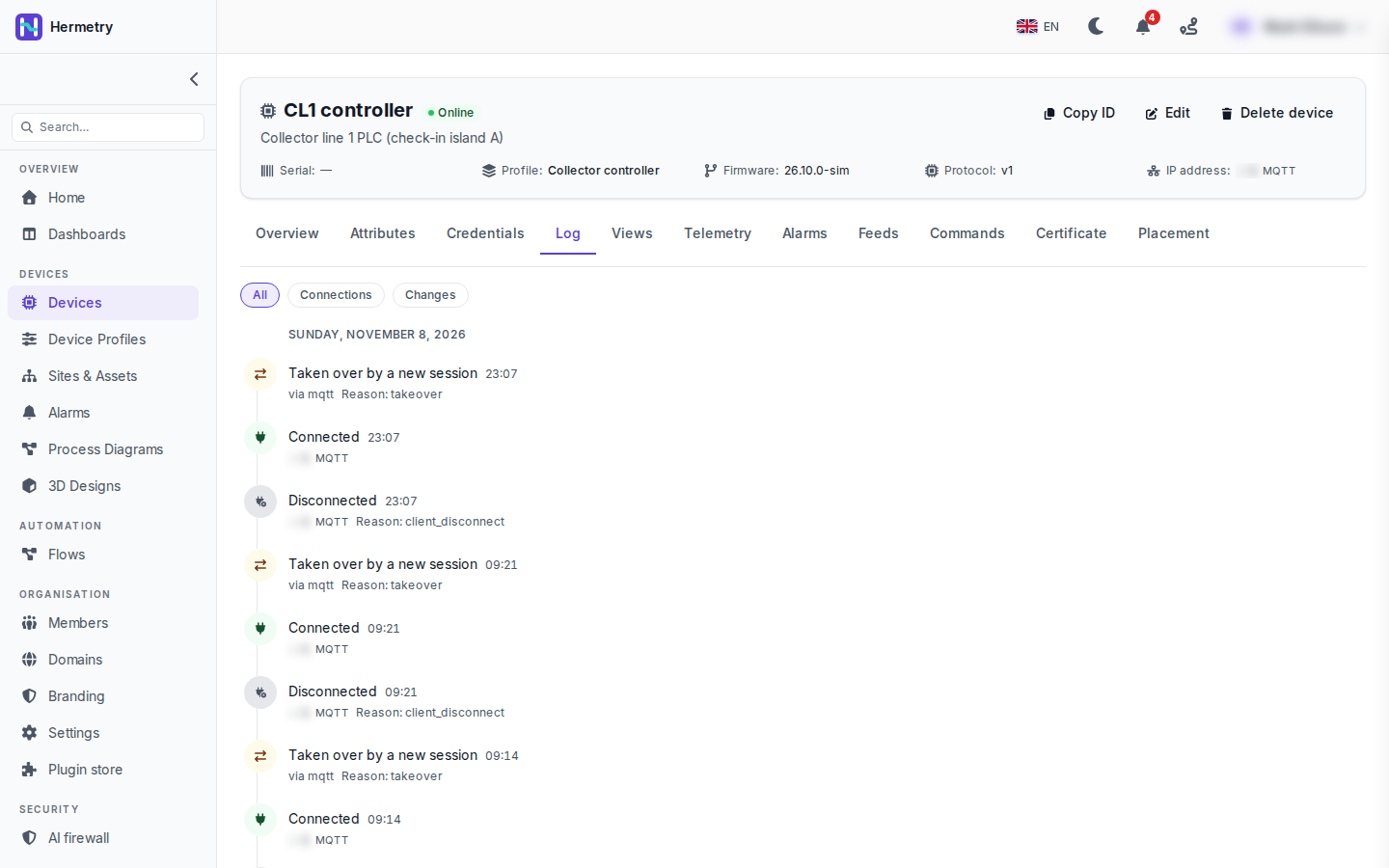
This is Sunday 8 November. At 23:07 and again at 09:21, three rows landed in the same minute: Disconnected with Reason: client_disconnect, Connected over MQTT, and “Taken over by a new session” with Reason: takeover. There’s another Connected and takeover pair at 09:14. The client address on the Connected and Disconnected rows is blurred in the shot.
“Taken over by a new session” means a second connection of the same device took over the first. If a device does it every few minutes and keeps flipping between online and offline, look for two devices sharing one credential first.
The Changes filter shows the audited changes: the device created or edited (with the fields), credentials replaced, rotated or revoked, attributes saved, commands sent and finished, alarms acknowledged and cleared, each by a person or by the system. More in Connection status and activity.
Can I get this out of Hermetry? Our auditor wants connection history per device for a quarter.
Over the API: GET …/devices/{deviceId}/log?source=connection (or source=audit for the changes), at most 1,000 entries deep. Connection history is kept for 30 days, so for a quarter you’d pull it every few weeks and keep the files. The changes are also in the audit log; its API filters by resourceType=iot_device and the device’s id, and Export CSV takes the date range you filtered: Audit log.
keepalive_timeout is the reason I see most on cellular devices. If it keeps coming up, check the keepalive against the operator’s NAT timeout before blaming the firmware.
Agreed. And if a device reports and then disconnects on purpose, give its profile the Recent message online rule; then a disconnect alone doesn’t show it offline while its last message is still recent.
Does a refused login show up here too, like a wrong password?
Yes. A refused login (CONNACK 5) is logged with its reason. The device itself never gets the reason.
Mine has no connect rows at all, only changes. The device is an SNMP box.
Polled devices use Last seen only, and devices on Last seen only write no connect and disconnect rows. That’s expected for your box.
- You must be logged in to reply to this topic.
Join the conversation
Sign in to ask and answer, like helpful posts and mark the reply that solved your problem. Every contribution earns points and levels.